This site requires JavaScript, please enable it in your browser!
Greenfoot back
AuroraGamer
AuroraGamer wrote ...

2016/10/18

Memory issues

AuroraGamer AuroraGamer

2016/10/18

#
So, I'm most of the worlds in my game are a subclass of a scrolling world. The background is stretched to fill the entire thing so it doesn't just end when you start scrolling. But with this I get a java heap space error a lot, so would I get this less with the current way, or if I created a longer image to fill the entire thing so it didn't have to edit in the program?
danpost danpost

2016/10/19

#
You will need to show what codes you are using. Please post your complete initial scrolling world subclass.
AuroraGamer AuroraGamer

2016/10/19

#
I think it's actually your code lol, I hope that's okay that I used it until I can figure out how to write something like it by myself. This is the code for the scrolling world,
import greenfoot.*;
import java.util.List;
import java.util.ArrayList;

/**
 * SWorld is a super-class for a scrolling world (horizontal, vertical, or both).<br><br>
 * Author: danpost<br>Version: May 22, 2016 (v2.1)<br>
 * <br>
 * To implement this super-class:
 * <l><li>(1) create a sub-class of this class</li>
 * <li>(2) use a <i>super(....)</i> call to one of the constructors in this class</li>
 * <li>(3) create the main actor (one that always stays in view) and call the <i>setMainActor</i> method</li>
 * <br>
 * NOTE: if placing the main actor to a location where scrolling will end up taking place before moving it,
 * place a call the the 'act' method of this class at the end of the constructor of its subclass
 * using 'super.act();'<br><br>
 * <li>(4) (optional) set a scrolling background image using a call to <i>setScrollingBackground</i> or <i>fillScrollingBackground</i></li></l>
 * <br>
 * NOTE: the order of steps above is very important<br>
 * <br>
 * There are two methods to add other objects into the world:
 * <l><li>the standard method <i>addObject(Actor, int, int)</i> can be used to add a scrollable actor into the world</li>
 * <li>a secondary method <i>addObject(Actor, int, int, boolean)</i> which is equivalent to the standard method, except
 * that the boolean will indicate the scrollable state of the object.</li></l>
 *
 * The width and height dimensions for both the world and the universe of scenarios with a cell size greater than one 
 * will be raised to the nearest odd values to center the main actor.<br>
 * <br>
 * SPECIAL NOTE: if you decide to override the 'act' method of this class with an 'act' method in your sub-world, you will
 * need to follow the format below to run the scrolling of the scenario:
 * 
 * <pre>        public void act()
 *        {
 *            // possibly some code here      
 *            super.act();
 *            // possibly some more code here
 *        }<pre>
 */
public class SWorld extends World
{
    private int scrollingWidth, scrollingHeight; // dimensions of scrolling area
    private int actorMinX, actorMaxX, actorMinY, actorMaxY; // limits for main actor within world coordinates
    private int scrolledX, scrolledY; // horizontal and vertical scrolled amounts
    private int scrollType; // indicates scrolling directions (0=none, 1=horizontal, 2=vertical, 3=both)
    Actor mainActor = null; // the actor that always stays visible
    private List<Actor>genActors=new ArrayList(); // lists all generic scrolling actor objects
    private GreenfootImage background = null;
    
    /**
     * The constructor for a universal scroller.
     * Creates an unbounded world and sets the size of the scrollable area.
     *
     * @param wide the window width
     * @param high the window height
     * @param cellSize the size of each cell
     * @param scrollWide the scrollable width (minimum value is window width)
     * @param scrollHigh the scrollable height (minimum value is window height)
     */
    public SWorld(int wide, int high, int cellSize, int scrollWide, int scrollHigh)
    {
        super(cellSize==1?wide:(wide/2)*2+1, cellSize==1?high:(high/2)*2+1, cellSize, true);
        scrollType=(scrollWide>wide?1:0)+(scrollHigh>high?2:0);
        scrollingWidth=scrollType%2==1?scrollWide:wide;
        scrollingHeight=scrollType/2==1?scrollHigh:high;
    }
    
    /**
     * The constructor for a horizontal (side) scroller.
     * Calls the universal scroller constructor with scrollHigh equal to the window height parameter.
     *
     * @param wide the window width
     * @param high the window height
     * @param cellSize the size of each cell
     * @param scrollWide the scrollable width (minimum value is window width)
     */
    public SWorld(int wide, int high, int cellSize, int scrollWide)
    {
        this(wide, high, cellSize, scrollWide, high);
    }
    
    /**
     * Adds the main actor into the world at the center of the window and
     * sets the range in movement within the window for the actor,<br>
     * <br>
     * NOTE: this method must be called prior to calling <i>setScrollingBackground</i>
     * <br>
     * NOTE 2: if placing the main actor to a location where scrolling will end up taking place before moving it,
     * place a call the the 'act' method of this class at the end of the constructor of its subclass
     * using 'super.act()'.<br>
     *
     * @param main the actor that is to always stay in view
     * @param xRange the horizontal range of movement within the window
     * @param yRange the vertical range of movement within the window
     */
    public void setMainActor(Actor main, int xRange, int yRange)
    {
        if (main==null)
        {
            System.out.println("A main actor MUST be supplied.");
            System.out.println("");
            return;
        }
        super.addObject(main, getWidth()/2, getHeight()/2);
        mainActor = main;
        xRange=(int)Math.min(xRange, getWidth());
        yRange=(int)Math.min(yRange, getHeight());
        actorMinX=getWidth()/2-xRange/2;
        actorMaxX=getWidth()/2+xRange/2;
        actorMinY=getHeight()/2-yRange/2;
        actorMaxY=getHeight()/2+yRange/2;
    }
    
    /**
     * Adds a scrolling background to the world; see method description for notes on unwanted results.<br>
     * <br>
     * NOTE: for this method to work, the main actor must have previously been set with <i>setMainActor</i>.  The image will then
     * be scaled to the appropriate size and is centered in the scrollable world.
     *
     * @param scrollingBackground the image to be used for the scrolling background of the world
     */
    public void setScrollingBackground(GreenfootImage scrollingBackground)    
    {
        if(mainActor==null)
        {
            System.out.println("'setMainActor' MUST be called prior to calling 'setScrollingBackground'.");
            System.out.println("");
            return;
        }
        background = new GreenfootImage(scrollingBackground);
        //background.scale(scrollingWidth*getCellSize(), scrollingHeight*getCellSize());
        scrollBackground();
    }
    
    /**
     * Fills the background of the scrolling area with the <i>fillImage</i>.<br>
     * <br>
     * NOTE: for this method to work, the main actor must have previously been set with <i>setMainActor</i>.  The image will then
     * be used to fill the background of the scrolling area and is centered in the scrollable world.
     * 
     * @param fillImage the image to fill the background of the scrolling area with
     */
    public void fillScrollingBackground(GreenfootImage fillImage)
    {
        if(mainActor==null)
        {
            System.out.println("'setMainActor' MUST be called prior to calling 'fillScrollingBackground'.");
            System.out.println("");
            return;
        }
        if (fillImage.getWidth()<getWidth() && fillImage.getHeight()<getHeight())
        {
            setBackground(new GreenfootImage(fillImage));
            fillImage = getBackground();
        }
        background = new GreenfootImage(scrollingWidth*getCellSize(), scrollingHeight*getCellSize());
        for (int x=0; x<background.getWidth(); x+=fillImage.getWidth())
            for (int y=0; y<background.getHeight(); y+=fillImage.getHeight())
                background.drawImage(fillImage, x, y);
        scrollBackground();
    }
        
    /**
     * Adds an object into the world, listing it in an the Actor array if it is a scrollable object
     *
     * @param obj the object to add to the world
     * @param xLoc the x-coordinate to place the object
     * @param yLoc the y-coordinate to place the object
     * @param scroller a flag indicating whether this object is of scrollable type or not
     */
    public void addObject(Actor obj, int xLoc, int yLoc, boolean scroller)
    {
        super.addObject(obj, xLoc, yLoc);
        if(scroller) genActors.add(obj);
    }
    
    /**
     * Adds a scrollable object into the world, listing them in the Actor array.
     *
     * @param obj the scrollable object to add to the world
     * @param xLoc the x-coordinate to place the object
     * @param yLoc the y-coordinate to place the object
     */
    public void addObject(Actor obj, int xLoc, int yLoc)
    {
        addObject(obj, xLoc, yLoc, true);
    }
    
    /**
     * Removes an object from the world, re-defining fields as neccessary
     *
     * @param obj the object to be removed from the world
     */
    public void removeObject(Actor obj)
    {
        if(obj==null)return;
        if(obj.equals(mainActor))mainActor=null;
        else genActors.remove(obj);
        super.removeObject(obj);
    }
    
    /**
     * Removes a collection of objects from the world, calling <i>removeObject(Actor)</i> for each one in the list
     *
     * @param objs the collection or list of objects to be removed from the world
     */
    public void removeObjects(List<Actor>objs)
    {
        for(Actor obj:objs)removeObject(obj);
    }
  
    /**
     * Runs the scrolling.
     */
    public void act()
    {
        scrollObjects();
        scrollBackground();
    }
    
    /**
     * Scrolls the background image.
     */
    private void scrollBackground()
    {
        if (background==null) return;
        int w = getWidth(), h = getHeight(), c = getCellSize();
        int bw = background.getWidth(), bh = background.getHeight();
        getBackground().drawImage(background, (w*c-bw)/2-scrolledX*c, (h*c-bh)/2-scrolledY*c);
    }
    
    /**
     * Scrolls all scrollable object.  Determines how far outside boundary limits the main actor is, and moves all neccessary
     * objects in the same direction, moving the main actor back within boundary limits.  A background can be
     * made up of scrollable actor object(s) to produce a scrolling background; however, determining intersectors with object
     * will have to include the background object as being one or more of them when using <i>null</i> for the class of intersector.
     */
    private void scrollObjects()
    {
        if (mainActor==null) return;
        // determine how far the main actor is outside its standard window limits
        int dx=0, dy=0;
        if(mainActor.getX()<actorMinX) dx=actorMinX-mainActor.getX();
        if(mainActor.getX()>actorMaxX) dx=actorMaxX-mainActor.getX();
        if(mainActor.getY()<actorMinY) dy=actorMinY-mainActor.getY();
        if(mainActor.getY()>actorMaxY) dy=actorMaxY-mainActor.getY();
        if(dx==0 && dy==0) return; // not outside window limits
        // ** outside standard window limits **
        int dxSum = dx, dySum = dy; // hold changes in scroll amount
        scrolledX-=dx; scrolledY-=dy;// track scroll amount
        // move main actor back within standard window limits
        mainActor.setLocation(mainActor.getX()+dx, mainActor.getY()+dy);
        // determine how far the background is inside the world limits
        dx=0; dy=0;
        if(scrolledX > scrollingWidth/2-getWidth()/2) dx=scrolledX-(scrollingWidth/2-getWidth()/2);
        if(scrolledX < getWidth()/2-scrollingWidth/2) dx=scrolledX-(getWidth()/2-scrollingWidth/2);
        if(scrolledY > scrollingHeight/2-getHeight()/2) dy=scrolledY-(scrollingHeight/2-getHeight()/2);
        if(scrolledY < getHeight()/2-scrollingHeight/2) dy=scrolledY-(getHeight()/2-scrollingHeight/2);
        // ** background does not completely cover world limits
        dxSum+=dx; dySum+=dy; // keep running sum of changes in scroll amount
        scrolledX-=dx; scrolledY-=dy; // adjust scroll amount
        // move all objects so background covers the world
        mainActor.setLocation(mainActor.getX()+dx, mainActor.getY()+dy);
        for(Object obj : genActors)
        {
            Actor actor=(Actor)obj;
            actor.setLocation(actor.getX()+dxSum, actor.getY()+dySum);
        }
        // determine how far main actor is outside universal limits
        dx=0; dy=0;
        if(mainActor.getX() < 0) dx=0-mainActor.getX();
        if(mainActor.getX() > getWidth()-1) dx=(getWidth()-1)-mainActor.getX();
        if(mainActor.getY() < 0) dy=0-mainActor.getY();
        if(mainActor.getY() > getHeight()-1) dy=(getHeight()-1)-mainActor.getY();
        if(dx==0 && dy==0) return;
        // ** outside universal limits
        // move main actor back within world limits
        mainActor.setLocation(mainActor.getX()+dx, mainActor.getY()+dy);
    }
    
    /**
     * Returns the horizonal offset from the left edge of the scrolling world to the
     * left edge of the world window
     *
     * return the amount of scrollable background off the left edge of the world window
     */
    public int getScrolledX()
    {
        return scrolledX;
    }
    
    /**
     * Returns the vertical offset from the top edge of the scrolling world to the
     * top edge of the world window
     *
     * return the amount of scrollable background off the top edge of the world window
     */
    public int getScrolledY()
    {
        return scrolledY;
    }
    
    /**
     * Returns the width of the scrolling area of the universe
     *
     * @return the width of the visible scrolling area
     */
    public int getScrollingWidth()
    {
        return scrollingWidth;
    }
    
    /**
     * Returns the height of the scrolling area of the universe
     *
     * @return the height of the visible scrolling area
     */
    public int getScrollingHeight()
    {
        return scrollingHeight;
    }
}
And this is the code for the subclass,
import greenfoot.*;

/**
 * Write a description of class RunningWorldSt here.
 * 
 * @author (your name) 
 * @version (a version number or a date)
 */
public class RunningWorldSt extends SWorld
{
    /**
     * Constructor for objects of class RunningWorldSt.
     * 
     */
    public RunningWorldSt()
    {
        super(1000, 650, 1, 9000); // scroll world constructor call; last parameter is scroll width
        // in the following statement, the main actor is placed in the center of the window
        addObject(new Ground(), 9000, 580);
        //Portal portal = new Portal();
        //addObject(portal, 4700, 243, true);
        setMainActor(new GirlBow(), 250, 300); // the int parameters are centered window x and y ranges
        // to start the main actor elsewhere
        mainActor.setLocation(100, 342);
        GreenfootImage bg = new GreenfootImage("background.jpeg");
        setScrollingBackground(bg); // set the scolling background image
        // add other scrollable objects normally
        
        addObject(new Ground(), 0,580);
        addObject(new Ground(), -1050, 580);
        addObject(new Ground(), 1000, 580);
        addObject(new Ground(), 2000, 580);
        addObject(new Ground(), 3000, 580);
        addObject(new Ground(), 5000, 580);
        addObject(new Ground(), 6000, 580);
        addObject(new Ground(), 7000, 580);
        addObject(new Ground(), 8000, 580);

        addObject(new Obstacle1(), 1000, 435, true);
        addObject(new Obstacle1(), 2000,435, true);
        addObject(new Obstacle1(), 3500, 435, true);
        addObject(new Obstacle1(), 5000,435, true);
        addObject(new Obstacle1(), 5900, 435, true);
        addObject(new Obstacle1(), 7400, 435, true);
        addObject(new Obstacle1(), 8600, 435, true);
        //addObject(new Obstacle1(), 9400, 435, true);
        addObject(new Monster(), 7000, 435, true);

        //addObject(new Box(), 20, 345);
        // use of the following also adds scrollable objects
        //addObject(new Box(), 380, 345, true); // the boolean determines scrollable state
        // use the following for non-scrollable objects
        //addObject(new Score(), 40, 390, false);
    }
}
danpost danpost

2016/10/19

#
No -- I do not mind your use of it. I uploaded it with source so anyone can make use of it. How large is your "background.jpeg" image (width and height)? Also, include a brief description of what that background has in it might be helpful.
AuroraGamer AuroraGamer

2016/10/19

#
The image is 1680x800, It's just a blue sky with a couple trees, and green below them.
danpost danpost

2016/10/19

#
AuroraGamer wrote...
The image is 1680x800, It's just a blue sky with a couple trees, and green below them.
I see; but your scrolling width is 9000, which is quite large and that is using up your heap space. Is the green below flat -- has a level surface? It is a flat blue color for the sky or is there variance in the shade of blue? I was thinking that maybe you should not set a scrolling background image and just add tree actors (and maybe clouds and ground actors). This would then only require the normal background image that will not need to scroll.
AuroraGamer AuroraGamer

2016/10/19

#
I have a ground actor, because I need something for the actor to stand on, otherwise they just keep falling. The green of the image is just kind of a 'filler' so that I can have the ground object lower and it doesn't look like the main character is hovering. Both the sky and ground are just solid color. And yes, the edge of the green is straight. Yes, I know that it is very long, but it seemed like any shorter than that and the level was over too quick. That's why I'm having such a problem, I'm having to restart Greenfoot every 6 to 10 times I compile, if I even get that far.
danpost danpost

2016/10/19

#
It is good and well that you have a ground actor. You should create only two instances of it and have them play leap-frog. This can be accomplished by making their width equal to the width of the world and have them check their x-coordinate in case they need to "leap" (if x < width/2 and if x >=width*3/2). By only having two of that size, you are again saving on heap space. For the background image, you can create an image the height of the world and one or two pixels wide. Then, draw the colors needed for the sky, grass and ground (you can use 'print' commands to display the color values at different locations within the image you are using). When you set the newly created image as the background, it will fill across the screen. Do not scroll the background image. Doing these things should alleviate you having to restart Greenfoot.
AuroraGamer AuroraGamer

2016/10/19

#
Okay
AuroraGamer AuroraGamer

2016/10/19

#
I hate being that person asking a million question, but what do you mean by do not scroll the background image?
danpost danpost

2016/10/19

#
AuroraGamer wrote...
I hate being that person asking a million question, but what do you mean by do not scroll the background image?
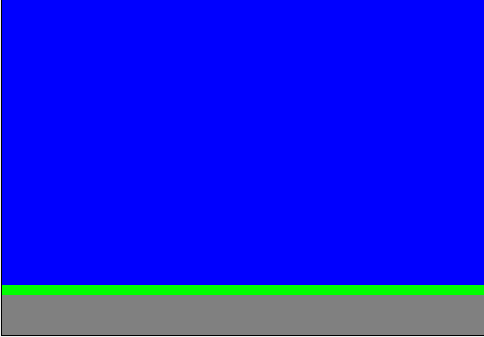
I am saying that in a side-scroller with a background image like this: there is really no change in the image. So, why scroll it at all. You still need to scroll the actors; but, the background will then only appear to scroll.
You need to login to post a reply.