


Hello!
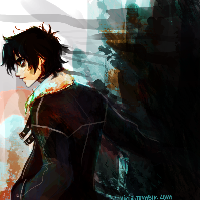
The picture I'm trying to add as the background image does not turn up the same way I edited it. Here is the actual picture:
 And here is how it shows up in the game:
 Anyone know how to fix this? The image format is PNG, and it's the same size as the world i'm placing it in, so it shouldn't be scaling it or anything.
I'm not doing anything to the image either, besides:
Anyone know how to fix this? The image format is PNG, and it's the same size as the world i'm placing it in, so it shouldn't be scaling it or anything.
I'm not doing anything to the image either, besides:
And here is how it shows up in the game:
Anyone know how to fix this? The image format is PNG, and it's the same size as the world i'm placing it in, so it shouldn't be scaling it or anything.
I'm not doing anything to the image either, besides:
        GreenfootImage bkg = new GreenfootImage("menu_bkg.png");
        setBackground(bkg);